I’ve always wanted to become a pilot ever since I was a kid. It’s one of the reasons I love traveling.
I finally decided to pursue my childhood dream and scheduled an introductory flight. And it was a blast.
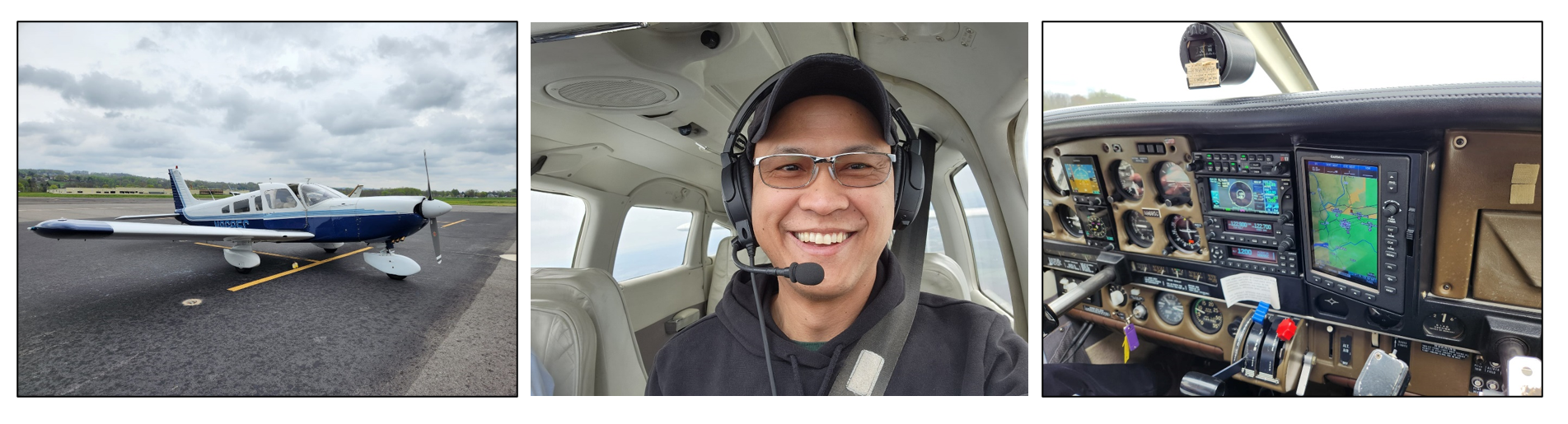
There were preliminary lessons before we got on the plane. Not a full on training on how to fly a plane. That would take weeks. We only covered the essentials of doing an introductory flight. And one of them is communication.
The flight instructor highlighted the importance of communication when flying a plane. Specifically, the one between the pilot and the air traffic controller (ATC).
Because regardless of how skillful and experienced the pilot is when it comes to flying planes, this interaction dictates how he gets the plane off the ground and land it safely. And it can spell the difference between having an amazing time flying or, worst case, never making it home alive.
This interaction starts the moment the pilot turns the plane ignition on and ends after the plane has been parked after landing.
Did you know this interaction exists inside SQL Server whenever you configure an Always On Availability Group (AG)?
The Interaction From a 10,000-ft View
If you watched the video from my previous blog post, you’ll get a sense of how SQL Server works with the Windows Server Failover Cluster (WSFC) during the Availability Group creation process.
Here’s the same video again. But I edited it to slow the entire thing down so you can see what’s going on. Too bad I can’t go any slower on some sections.
I’ve also added text hints so you don’t miss the sequence of events. Don’t blink or you’ll miss them.
So, what I did was to generate the cluster error log and looked at the section on Operational Logs event channel. I also removed the information about process ID, thread ID, and date.
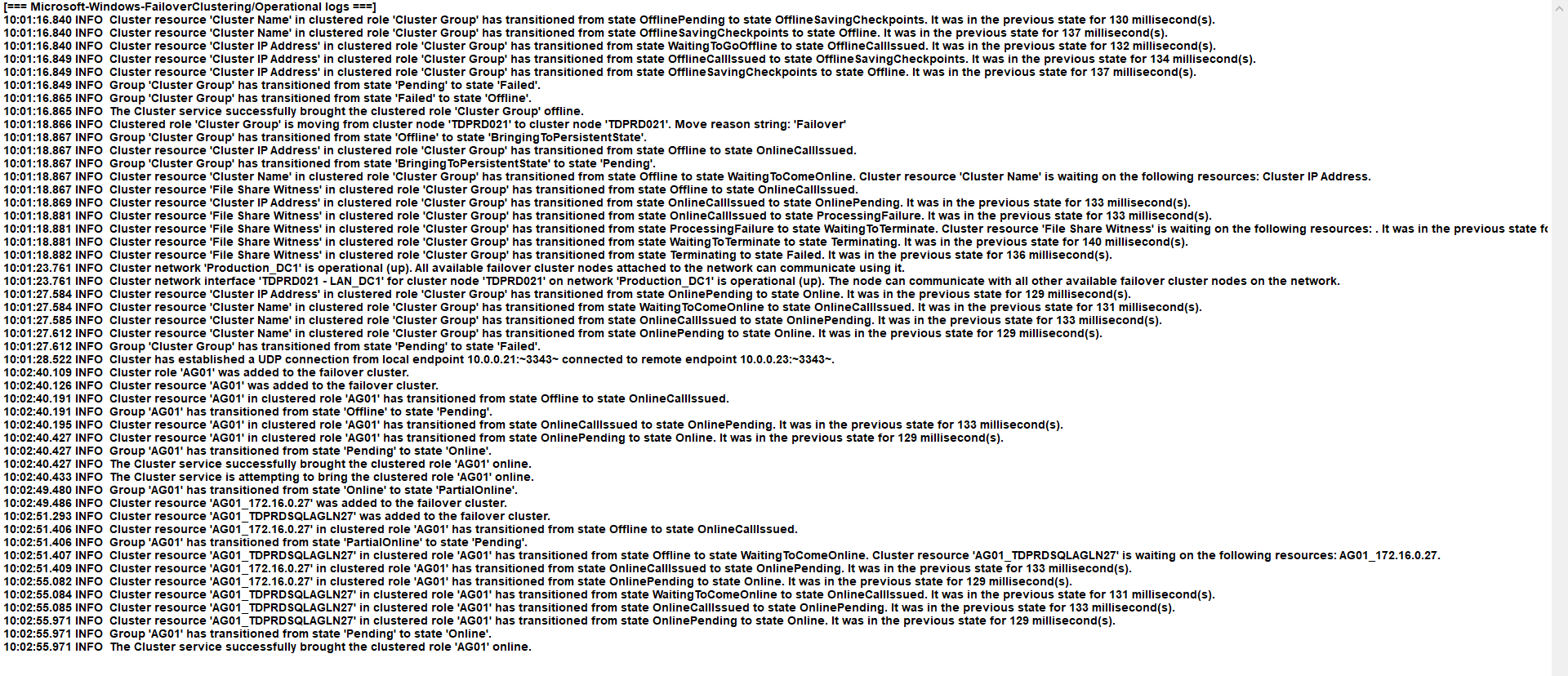
As you’re creating an AG from either T-SQL, the AG creation wizard inside SSMS, or the dbatools PowerShell cmdlets, SQL Server starts interacting with the WSFC to make this happen.
Let’s zoom in to the section of the cluster error log where SQL Server starts interacting with the WSFC to create the AG.
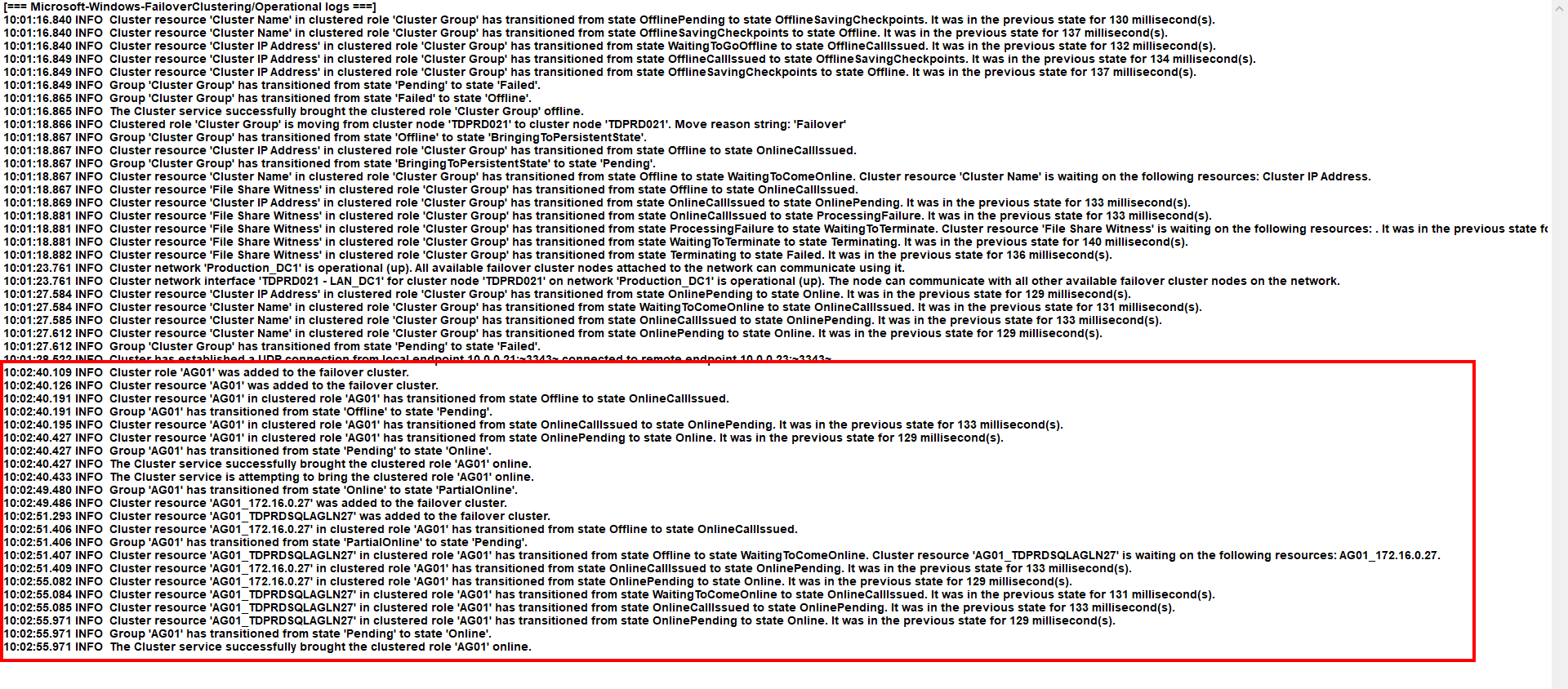
Didn’t I say the entire AG creation process took around 15 seconds?
The Walkthrough – Part 1
At 10:02:40.109, the cluster resource group AG01 gets created inside the WSFC.
The cluster error log and the Failover Cluster Manager call it a “role“. I still like calling it a “resource group” because that’s really what it is – a group of resources.
At 10:02:40.126, the cluster resource AG01 gets created inside the WSFC.
It can get confusing because the WSFC will name the resource group using the same name as your AG. This becomes problematic when you’re troubleshooting an issue while reading the cluster error log as you’ll see below.
Between 10:02:40.126 and 10:02:40.191, the cluster resource AG01 gets added to the resource group AG01. I wish the Operational Logs included that step here. But keep in mind, this is just the Operational Logs, not the verbose log entries. A more detailed description of what happened is available in the verbose cluster error log entries.
At 10:02:40.191, the resource group AG01 (the one assigned to your AG) has transitioned from state Offline to state OnlineCallIssued. I couldn’t capture this on video fast enough because I had to click the resource group to show the resources inside it. That’s why the AG01 resource instantly showed up as “Running” when you watch the video.
The AG resource starts in an Offline state. A simple AG creation process includes so many different steps:
- 1) Creating and enabling the Hadr_endpoint (on all replicas)
- 2) Creating a SQL Server login (on all replicas)
- 3) Granting the SQL Server login the CONNECT ON ENDPOINT permissions (on all replicas)
- 4) Creating the AG and defining the replicas (on the primary replica)
- 5) Adding databases to the AG
- 6) Joining secondary replicas to the AG
- 7) Assigning the databases on the secondary replicas to the AG
Notice I didn’t include the listener and the virtual IP addresses here. That’s because you can choose to do this at a later step. And that’s how the WSFC does it – even when you add the listener creation process with creating the AG using the wizard in SSMS.
Nested Transactions Hiding in Plain Sight
Steps #1 to #7 happen in the context of a transaction. That is, in order for the AG creation process to succeed, all of those steps have to happen. If any of the steps fail, then, the entire thing has to fail.
SQL Server keeps track of everything – from start to finish.
But didn’t I say that SQL Server relies on the WSFC for the AG to be highly available?
Steps #1 to #3 have nothing to do with the WSFC. These are all internal to SQL Server. That’s why you don’t see any entries in the cluster error log pertaining to these activities.
If you’re using the wizard to create the AG, SQL Server starts a transaction at Step #1. But it won’t start talking to the WSFC until Step #4 – the AG creation process. This is where the nested transaction starts. And it’s happening inside the WSFC – at 10:02:40.109.
From 10:02:40.109 to 10:02:40.433, the WSFC took care of Steps #4 to #7. Not that those steps only happened inside the WSFC.
Because in order for the WSFC to do its job of keeping the AG highly available, it needs metadata about the AG. It’s the same metadata that exists inside SQL Server.
Remember how the pilot communicates with the ATC in order to fly (and land) the plane safely?
This means the information passed back and forth between the pilot and the ATC need to be consistent. If the pilot says “I’m ready for takeoff (Plane XYZ ready to push and start at Gate 109)”, the ATC needs to communicate back if taking off is possible. If it is, the ATC can respond back, “Plane XYZ confirmed to push and start from Gate 109.”
Both the pilot and the ATC have the same information – Plane XYZ ready to push at Gate 109. If only one of them have that information, the action (moving in preparation for take off) will not happen.
Same thing with an AG. The metadata about the AG that the WSFC needs – the AG, the replicas, the databases, synchronous commit with (or without) automatic failover, etc. – need to exist on both SQL Server and the WSFC.
If any one of those steps failed for whatever reason, the entire transaction (Steps #1 to #7) and the nested transaction (Steps #4 to #7) will fail. Unless, of course, you decouple Steps #1 to #3 from the AG creation process and use T-SQL instead of the wizard in SSMS. Still, Steps #4 to #7 form one transaction, with SQL Server starting the main transaction and the WSFC starting the nested transaction.
The Walkthrough – Part 2
I lied when I said the entire AG creation process took around 15 seconds.
Well, not actually lied. I just wanted to set the right expectations.
The AG creation process – without the listener and the virtual IP address – took less than a second. That’s from 10:02:40.109 to 10:02:40.433 where you see the message “The Cluster service is attempting to bring the clustered role ‘AG01’ online.”
But that’s from the point-of-view of the WSFC. Because it only needed the AG metadata from SQL Server in order for it to do its job.
Once it already has the AG metadata, it passes the control back to SQL Server so it can do its thing. And part of the “thing” that SQL Server does when creating an AG is checking for health of the databases and the replicas. Not to mention when you decide to use automatic seeding to initialize the databases on the other replicas.
You don’t see it in the Operational Logs but that’s another transaction that SQL Server starts with the help of the AG cluster resource DLL – the communication mechanism between the WSFC and SQL Server. I’ll save this for a later blog post to provide better context.
At 10:02:49.480, about 9 seconds after the AG creation process completes, the cluster resource group AG01 gets ready for the creation of the virtual IP address first, then, the listener name. Because the resource group AG01 is already online, the WSFC has to change the state from ‘Online‘ to ‘PartialOnline‘.
The sequence of events also shows the relationship between the AG, the listener name, and the virtual IP address. The term used to describe this relationship is called “dependencies“.
Let’s start with the resource group. When the WSFC took the resource group AG01 offline, it automatically takes the AG01 resource offline as well. That’s because the smallest unit of failover is the resource group. When the WSFC decides to move clustered resources between nodes as part of a failover, it does so through the resource group. Any clustered resource added to the resource group will move together with the group.
At 10:02:49.486, the virtual IP address was added to the WSFC. The name of the virtual IP address resource is in the form NameOfAG_virtualIPaddress. Hence, you see Cluster resource ‘AG01_172.16.0.27’.
The virtual IP address resource was created and, then, added to the resource group AG01. It’s the same thing that happened during the AG creation process.
At 10:02:51.293, the listener name was added to the WSFC. The name of the listener name resource is in the form NameOfAG_listener. Hence, you see Cluster resource ‘AG01_TDPRDSQLAGLN27’.
You can draw a couple of things from these two events:
- 1) The virtual IP address has to be created first before the listener name. This defines the “dependency” between these two clustered resources and the behavior that results from this. The listener depends on the virtual IP address. If the virtual IP address comes offline, the listener name also come offline regardless.
- 2) It took almost 2 seconds between creating the virtual IP address and creating the listener name. That’s much longer than the time it took to create the AG. This also defines a not-so-obvious dependency between the listener name and “something else”. That something else involves Active Directory and DNS. It’s one of the reasons I emphasize being nice to your Active Directory guys. Because their work literally affects your databases’ availability.
The events between 10:02:51.406 and 10:02:55.971 describe these “dependencies“.
- – 10:02:51.406 The resource group AG01 is in a Pending state as the resources inside it – AG01_172.16.0.27 and AG01_TDPRDSQLAGLN27 – are being brought online one at a time.
- – 10:02:51.407 The clustered resource AG01_TDPRDSQLAGLN27 is waiting for AG01_172.16.0.27 because it depends on it.
- – 10:02:55.082 The clustered resource AG01_172.16.0.27 comes online.
- – 10:02:55.971 The clustered resource AG01_TDPRDSQLAGLN27 comes online.
- – 10:02:55.971 The resource group AG01 comes online after all the resources inside it are all online.
Throughout these events, the nested transactions are still at play. SQL Server starts the transaction and writes the metadata about the listener name and virtual IP address and their dependencies. The WSFC gets called to start the nested transaction and completes the sequence of events before passing it back to SQL Server.
This might be a bit too much information for a simple task as creating an AG. And we’re still only scratching the surface. I haven’t even covered what’s inside the WSFC that makes all of this work.
But this is also why working with AGs is not as easy as most people think.
There’s a ton of moving parts that make the entire system super complicated.
What’s worse, the wizards in SSMS make it so easy to build an AG that when an outage situation happens, very few know how to deal with it. What was supposed to be a solution to keep databases highly available becomes the very thing that causes massive outages.
If your job as a SQL Server DBA involves managing AGs, you can’t just rely on wizards and tutorials. It is your responsibility to know how the WSFC works to make SQL Server highly available.
Because when an unexpected outage happens, you no longer have the time to figure these things out.
And your job is literally on the line.